Guide • 35 rated series • 4 platforms
AI shorts privacy and billing: accounts, statements and cancelling
Before you pay for episode 3, you may want to know what an account asks for, what appears on a statement and how to cancel. This guide sets out what we checked on Candy AI Shorts, Dreamy Shorts, Secrets Shorts and GoLove Shorts, and says plainly where we do not know.
Updated Nov. 20, 2026 • scores reviewed by hand
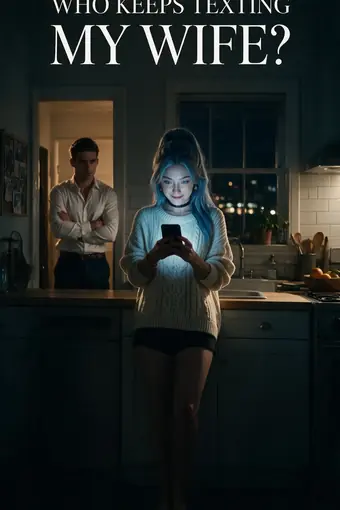 4.0Who Keeps Texting My Wife?Dreamy Shorts • 4.0/5Episode 1 free on Dreamy Shorts
Unofficial ratings site. AI Shorts Rated is not run by Candy AI, OurDream (Dreamy Shorts), Secret Labs (Secrets Shorts) or GoLove AI; the scores are our own opinion. Buttons that open a platform are affiliate links that may earn us a commission at no cost to you. Adults 18+ only. How we rateUnofficial, not run by the platforms. Affiliate links. 18+ only.
What the free part asks for
The free part is the lightest on privacy. Nothing is asked for episode 1, on any of the four. Episode 2 wants a free account on three of them, Candy AI Shorts, Dreamy Shorts and Secrets Shorts; Candy requires no card for it, and Dreamy accepts a Google or e-mail sign-up. GoLove Shorts is the exception, with episodes 1 and 2 playing without account, e-mail or card.
So the least you can hand over is nothing, on GoLove Shorts, and the most is a sign-up with an e-mail or a Google login on the others. Candy AI, OurDream, Secret Labs and GoLove AI each run their own accounts, and each has its own privacy terms, which we do not summarize. Read them where they apply.
The point of the free part is that the decision can wait. A free account is still an account, and it is the first real commitment: before it, you have handed over nothing; after it, the platform knows an e-mail address or a Google login. Many viewers stop at episode 1 or 2, and that is a perfectly good way to use these platforms.
Our own site is separate from all four. It does not take payments, and the buttons that open a platform are affiliate links that may earn us a commission at no cost to you. You can read how that works on About this site.
What appears on a statement
Two of the four say something about the statement. Secrets Shorts uses a neutral company name, S LABS INC, which names neither the app nor the genre. GoLove Shorts displays a banner in its app stating that no adult transaction will show on the bank statement.
For Candy AI Shorts and Dreamy Shorts we have no verified statement wording, so we do not guess. If it matters to you, check the platform's own billing pages before you pay, or ask the platform. A statement line is the sort of detail that a platform can change, so treat anything you read, including here, as true on the date we checked.
Spending on Secrets Shorts also goes through Moments, which require Premium or Ultimate, so the first charge there is a plan, not a single episode. The platform details are on our Secrets Shorts review.
Cancelling and billing periods
Cancelling is documented for two of the four. GoLove Shorts lets you cancel whenever you like, in Settings, and you keep access until the paid period ends. OurDream, which runs Dreamy Shorts, says that you can cancel; we did not test the cancellation route. For Candy AI Shorts and Secrets Shorts, we describe the plans and prices, not the cancellation route, and we advise reading the terms shown at checkout.
Billing periods differ, and they shape what you commit to. Candy AI Premium can be taken for twelve months, charged once a year, for three months, or for one month, where the opening $9.99 is followed by $13.99. Dreamy Premium costs $19.99 monthly or $119.88 for the year. On Secrets Shorts, Premium is $19.99 monthly or $109.99 yearly, and Ultimate is $39.99 monthly or $319.99 yearly. GoLove Pro was listed in euros from Europe, between 13.99 EUR monthly and 49.80 EUR for twelve months.
A yearly price is billed in one piece, so it can look large next to a monthly one. Prices move, and the platform repeats the current one before any charge. Our Pricing page keeps the figures with the dates we checked them.
A short privacy checklist
A few habits cover most of it. Start with the episodes that need no account, and only sign up when episode 2 is worth it. Look at what you are being asked for at sign-up and at checkout, and read the cancellation terms before you choose a yearly plan. Keep the confirmation e-mail so you know the date and the period, and note the renewal date of a monthly plan in your calendar if you want to stop after one series.
Check the heat before you press play. The 0 to 5 flames shown on Secrets Shorts help here, and all four platforms are for viewers 18 and over. If you share a device, remember that a logged-in account stays logged in.
We rate series, not accounts, and we do not claim that any platform is more private than another beyond the two facts above. The GoLove banner and the Secrets statement name are the whole of what we verified. Platform by platform, see our GoLove Shorts review.
More guides
Questions people ask
Do I need a card to watch the free episodes?
No. Episode 1 plays with no account on all four platforms, and episode 2 needs a free account on three of them or nothing on GoLove Shorts. None of this asks for a card.
What does a Secrets Shorts charge look like on a statement?
The card statement shows a neutral company name, S LABS INC.
What does GoLove Shorts say about bank statements?
The app shows a banner saying there is no adult transaction on the bank statement.
How do I cancel?
On GoLove Shorts, in Settings, with access until the end of the paid period. OurDream says you can cancel Dreamy Shorts. For the others, read the terms at checkout.